Scroll reveal and pinned hero


Live demo
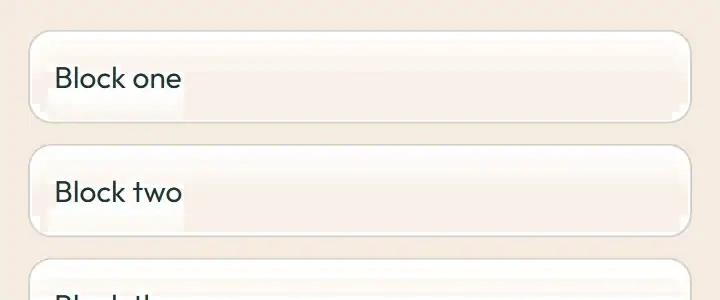
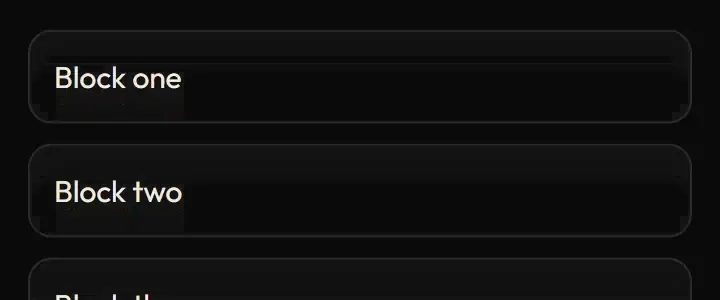
Section titled “Live demo”The page below is the real demo.html from the kit. Use its “Toggle dark” button for the dark theme.
Current rule (v2.0.1, 2026-11-13): Scroll is direct manipulation: progress maps to transform/opacity without a time-based easing queue. Reduced motion and narrow screens show the complete static story. No persistent will-change promotion is needed. Reveals are once-only, including initial blocks already in view (documented landing-page exception). Supersedes the retained implementation/timing claims below; see docs/current-rules.md#cr-motion-01 and motion-flow.
The landing page’s scroll story: the pinned hero sequence (copy lifts away, the real console rises, zooms through its surface and the overview settles in, all in one sticky scene), the handover steps beside a sticky record, and reveal-on-scroll blocks that arrive once. The default rules are the static page, which is what reduced motion, phones and browsers without JavaScript get.
Open demo.html in a browser (it links ../../tokens/tokens.css) and use “Toggle dark” to check both themes.
| File | What it is |
|---|---|
scroll-reveal.css |
The whole landing scroll stylesheet, verbatim (static page by default; pinned and reveal states only when the hooks mark the page). |
scroll-reveal.js |
Framework-free port of the hooks: initReveal (IntersectionObserver, once) and initSequence (smoothstep scroll mapping with the real ranges). The React originals are in react/. |
demo.html |
A standalone page with the live animation in light and dark, replayable. |
react/ |
Copies of the real app files (see react/README.md for the imports to replace). |
previews/ |
Animated WebP and GIF previews, light and dark (regenerated by scripts/make-previews.mjs). |
Where the app uses it
Section titled “Where the app uses it”- Pinned hero:
features/hub/landing/HeroSection.tsx,useScrollSequence.ts(768 px and wider, when the copy, console and overview fit). - Handover steps beside a sticky record:
HandoverScrolly.tsx(1024 px wide and 640 px tall or more). - Reveal on scroll:
data-revealblocks inStorySections.tsx,AreasSection.tsx,FaqSection.tsxand the rest of the landing page, viauseInView.ts (useRevealOnScroll`). - Styles:
features/hub/landing/landing-scroll.css.
Scrolling walks the visitor from the promise to the real console to the overview in one scene, so the product is understood by looking at it, not by reading about it. The handover record changes as each step reaches the middle, showing the evidence trail forming. Reveals pace a long page without hiding content.
Timing, easing and distance
Section titled “Timing, easing and distance”Current rule (v2.0.1, 2026-11-13): The retained table/snippet below records the original app copy. Use the current executable files and the complete flow recipe for decision 399; see current rules.
| Part | Value |
|---|---|
| Pinned scene | 300 svh tall, scroll-driven transform and opacity (no timing), will-change only while moving |
| Ranges (fraction of the sequence) | copy lift 0 to 0.25, console rise 0 to 0.38 (smoothstep), zoom 0.55 to 0.84, figure fade 0.68 to 0.84, overview reveal 0.86 to 1; copy lifts 72 px, overview rises 32 px and scales 0.94 to 1 |
| Scrolly step | border and text colour 240 ms ease-out |
| Reveal | 640 ms cubic-bezier(0.2,0.7,0.2,1), opacity and a 24 px rise, once, observed at the lower 12 % of the screen |
Trigger
Section titled “Trigger”Scroll position (one passive listener, one paint per animation frame, geometry measured on resize); reveal on the first time an element’s top crosses the lower eighth of the screen.
Reduced motion
Section titled “Reduced motion”Static page, top to bottom in DOM order: no pinning, no reveal hiding, step transitions off. Content is never hidden from reduced-motion users, from phones or from no-JavaScript visitors. Print forces everything visible.
Dark theme
Section titled “Dark theme”Colours are tokens (--color-bg, --color-surface, --color-panel, --color-line, --color-accent-ink), so the story switches with html.dark; the console artwork has dark variants.
Do and don’t
Section titled “Do and don’t”- Do reveal once; never replay on scroll back up.
- Do animate only transform and opacity, and set
will-changeonly while moving. - Do keep the static page as the default and add motion only when it fits.
- Do not reveal on hover.
- Do not hide content from reduced-motion users.
- Do not read layout on every scroll event (measure on resize).
Copy-paste usage
Section titled “Copy-paste usage”Current rule (v2.0.1, 2026-11-13): The retained table/snippet below records the original app copy. Use the current executable files and the complete flow recipe for decision 399; see current rules.
<link rel="stylesheet" href="scroll-reveal.css"><script src="scroll-reveal.js"></script><main id="page"><section data-reveal>…</section><section data-reveal>…</section></main><script>SwScroll.initReveal(document.getElementById("page"));</script>For the pinned hero, build the data-seq structure shown in demo.html and call SwScroll.initSequence(root).
Every other animation in the product, and the rules behind them: ../../docs/motion.md. Index of the kit: ../README.md.
Flow contract (decision 399)
Section titled “Flow contract (decision 399)”Scroll is direct manipulation: progress maps to transform/opacity without a time-based easing queue. Reduced motion and narrow screens show the complete static story. No persistent will-change promotion is needed. Reveals are once-only, including initial blocks already in view (documented landing-page exception).
Complete rules, sequencing, keyboard and verification. The demo includes real static posters and explicit image Play/Pause controls.
Local token steps for batch 1B
Section titled “Local token steps for batch 1B”These aliases are local additions; global tokens are unchanged. Promote through the token batch when adopted.
| Local custom property | Definition |
|---|---|
--sw-local-duration-640 |
calc(var(--sw-dur-slow) * 2.66666667) |
Source
Section titled “Source”Copied from motion/scroll-reveal/ on every build: the stylesheet, demo.html, react/ copies of the app files and the previews/.